Logs
Cost Updates
The cost and spend records imported from your traffic channels — the data LeadJourney uses to calculate ROAS and profit, with the campaign, spend amount and when each record was created.
Cost Updates is the log of cost/spend records LeadJourney imported from your traffic channels. This is the spend side of your numbers – the data used to calculate ROAS and profit against the revenue in your conversions. Open it from Settings → Logs → Cost Updates, or go straight to app.leadjourney.io/settings?slug=logs.
Use it to confirm spend was imported for a campaign and to see when each cost record landed.
What a cost row records
Each row is one imported spend record:
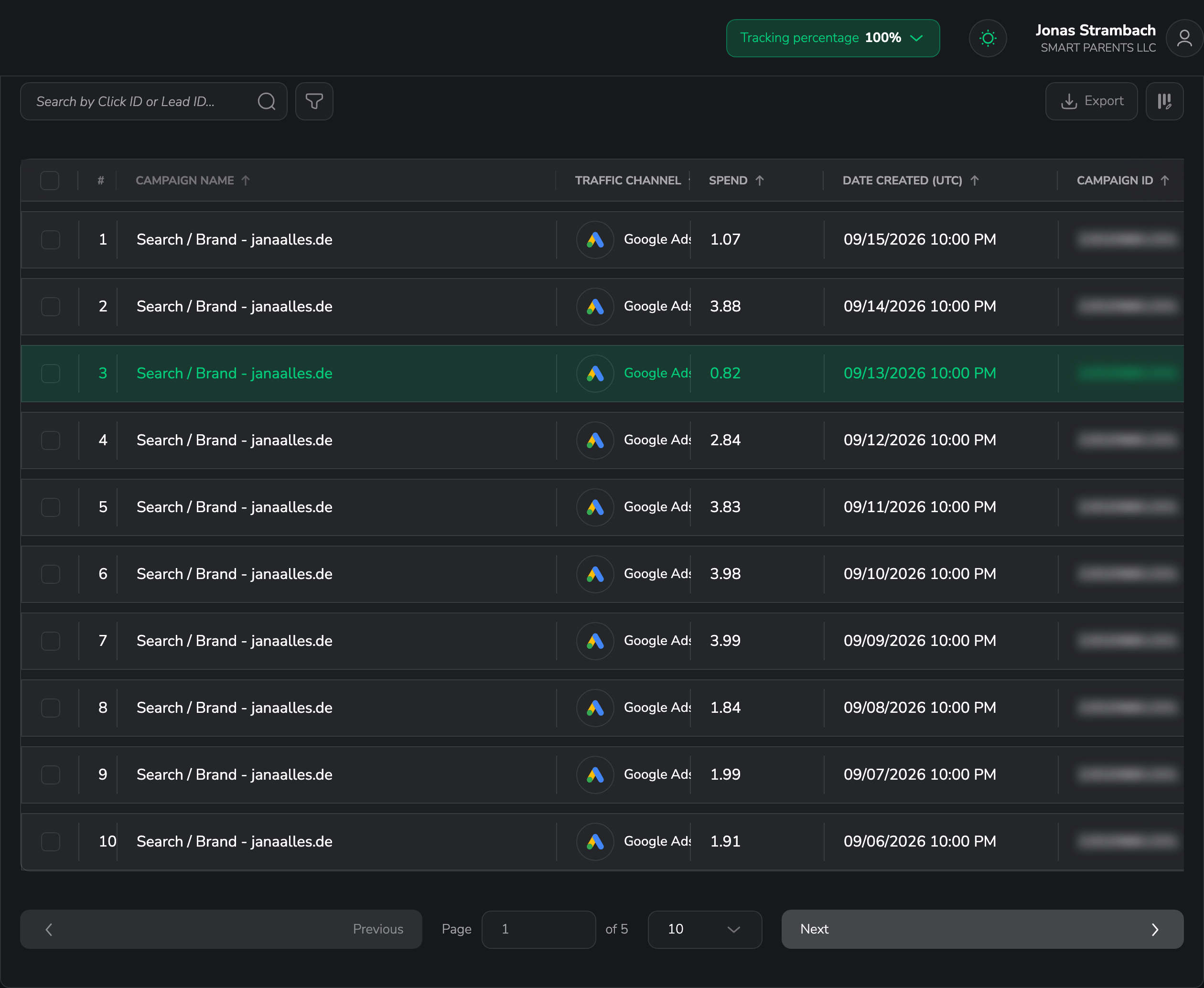
- Campaign Name – the campaign the spend belongs to. Mandatory and always visible.
- Traffic Channel – the channel the cost was imported from, shown with its icon.
- Spend – the cost amount, in your workspace currency.
- Date Created (UTC) – when the record was created. This column is always shown in UTC, unlike the other logs.
- Campaign ID – the channel's own identifier for the campaign.
You can show, hide, reorder and resize every column except Campaign Name – see Customize the columns.
Timestamps and currency
Spend uses your workspace currency, but Date Created (UTC) is always shown in UTC – it does not follow your workspace time zone. See Change your workspace currency.
Filters specific to Cost Updates
On top of the shared filters, Cost Updates lets you filter by:
- Time period – pick a custom date range.
- Traffic channel – filter to one channel (single-select).
- Advanced filters – build AND/OR rules across any cost column, for example Traffic Channel is Meta.
Where cost data comes from
Cost Updates are populated by your channel integrations and any manual channel costs you add. If spend is missing here, check that the channel is connected. See Channel costs.
Related articles
API Postbacks
The history of postbacks LeadJourney sent out to your traffic sources — confirm an event was reported, check its status, inspect the raw payload and retry failures.
What is the LeadJourney tracking script?
A plain-language explanation of the LeadJourney tracking script – what it does, what it captures and why it's the foundation of every report.