Affiliate
Affiliate Campaigns
Create the click-tracked links you actually advertise – pick a tracking method and verified domain, choose the offer and split traffic across landing pages, then copy one ready-made redirect URL per traffic channel.
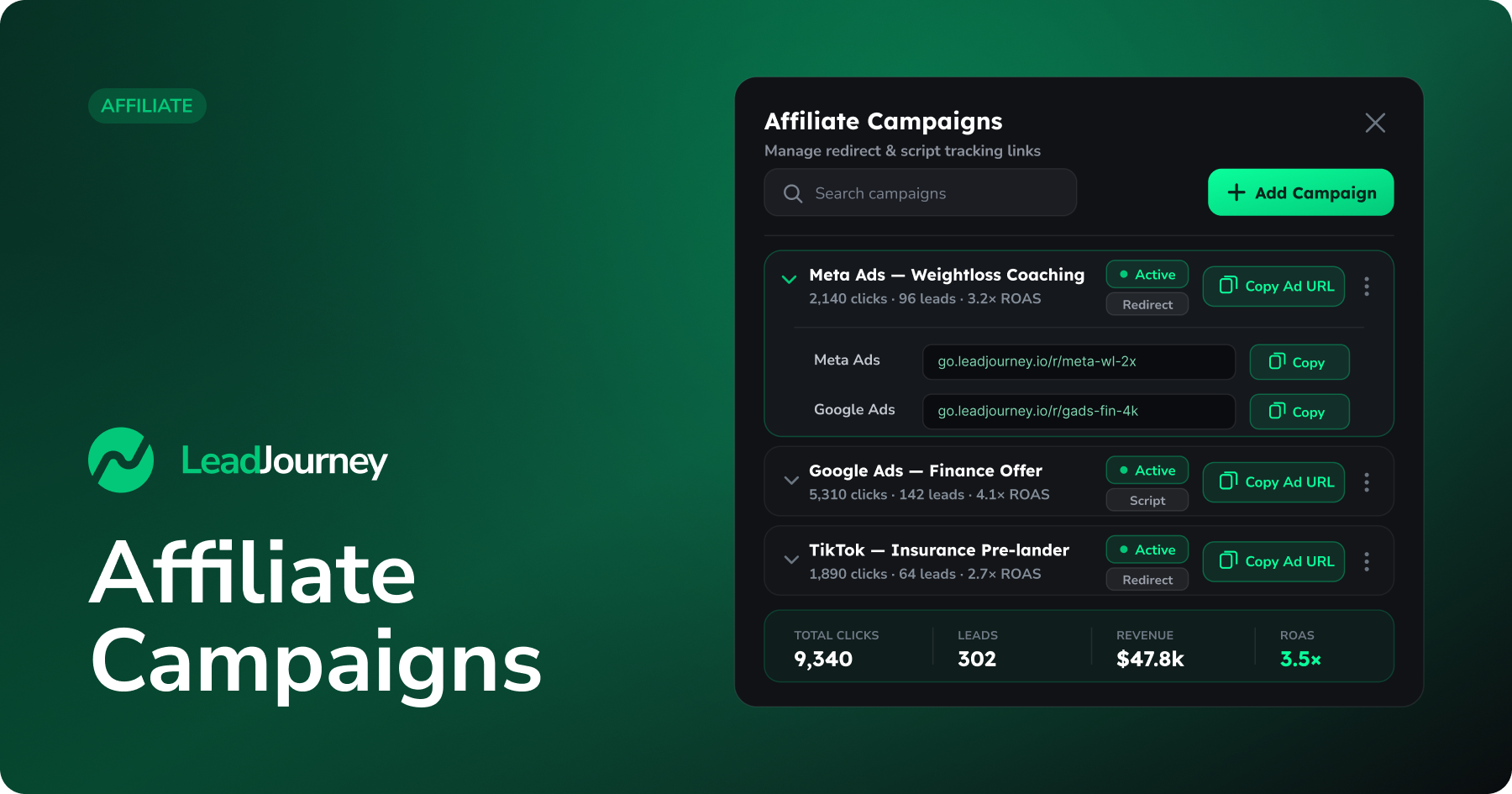
An affiliate campaign is the link you actually advertise. It generates a short redirect URL that stamps a click ID on every visitor and forwards them to your offer – so the click you paid for can later be matched to the commission the network pays back.
Build your offer first
A campaign promotes an Affiliate Offer and can route through your landing pages. New to affiliate tracking? Start with the Affiliate setup guide.
Where to find it
Open Affiliate → Campaigns in the sidebar, or go to app.leadjourney.io/?slug=affiliate-campaigns. Click + Add Campaign to open the wizard.
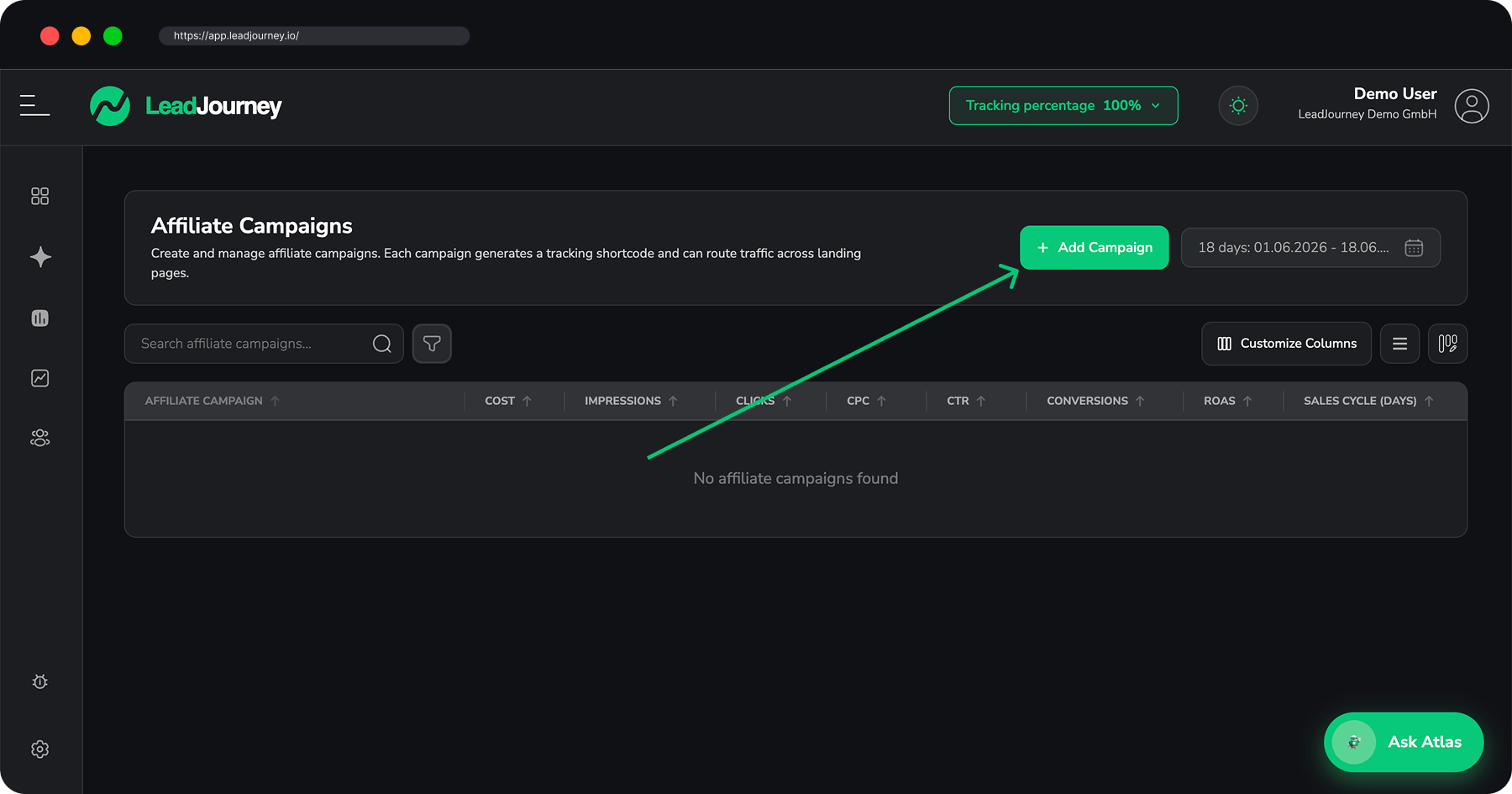
Create a campaign
The wizard has five steps:
Campaign Details
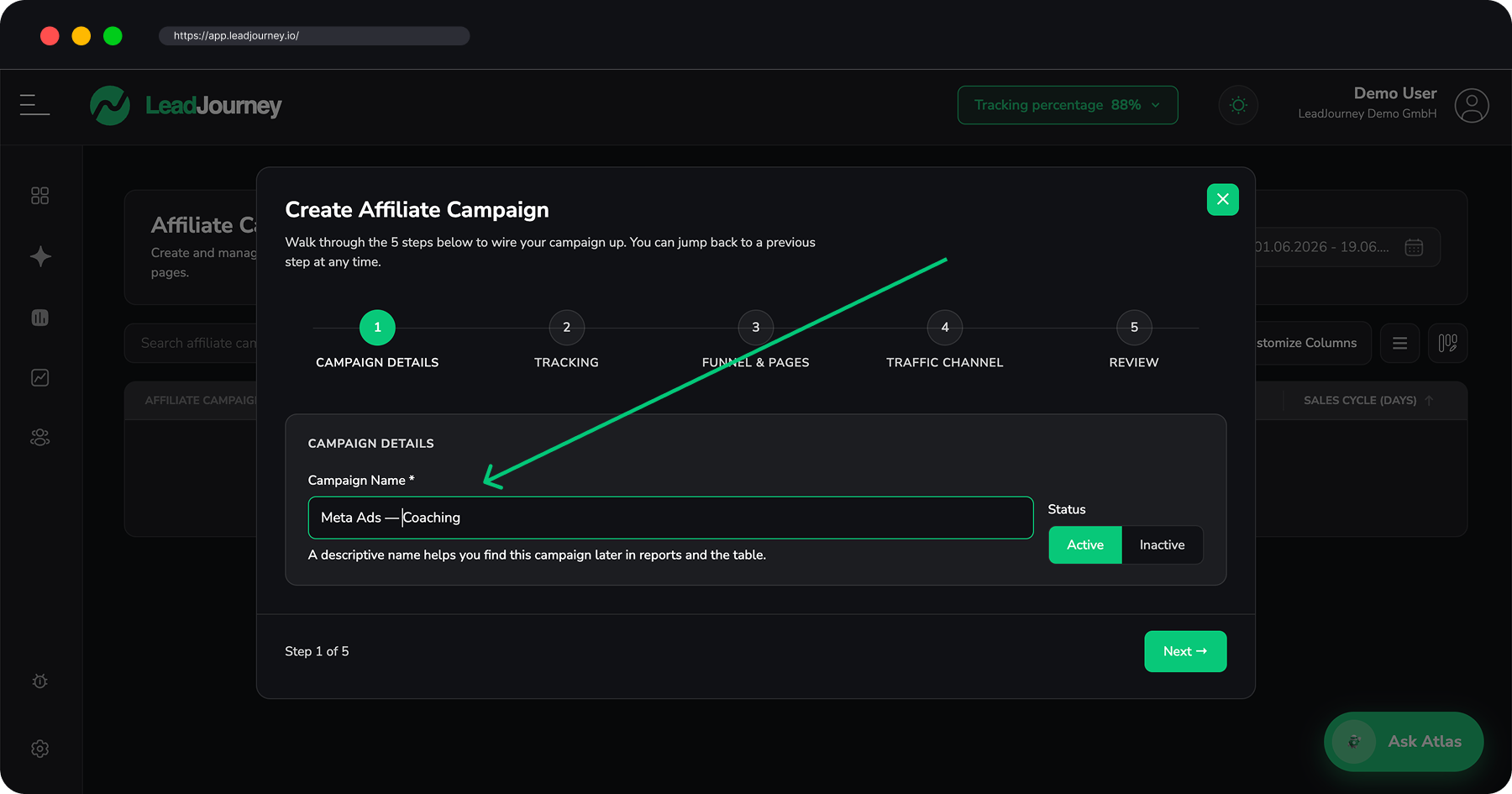
A descriptive name (e.g. Meta Ads — Weightloss Coaching) and an Active / Inactive status.
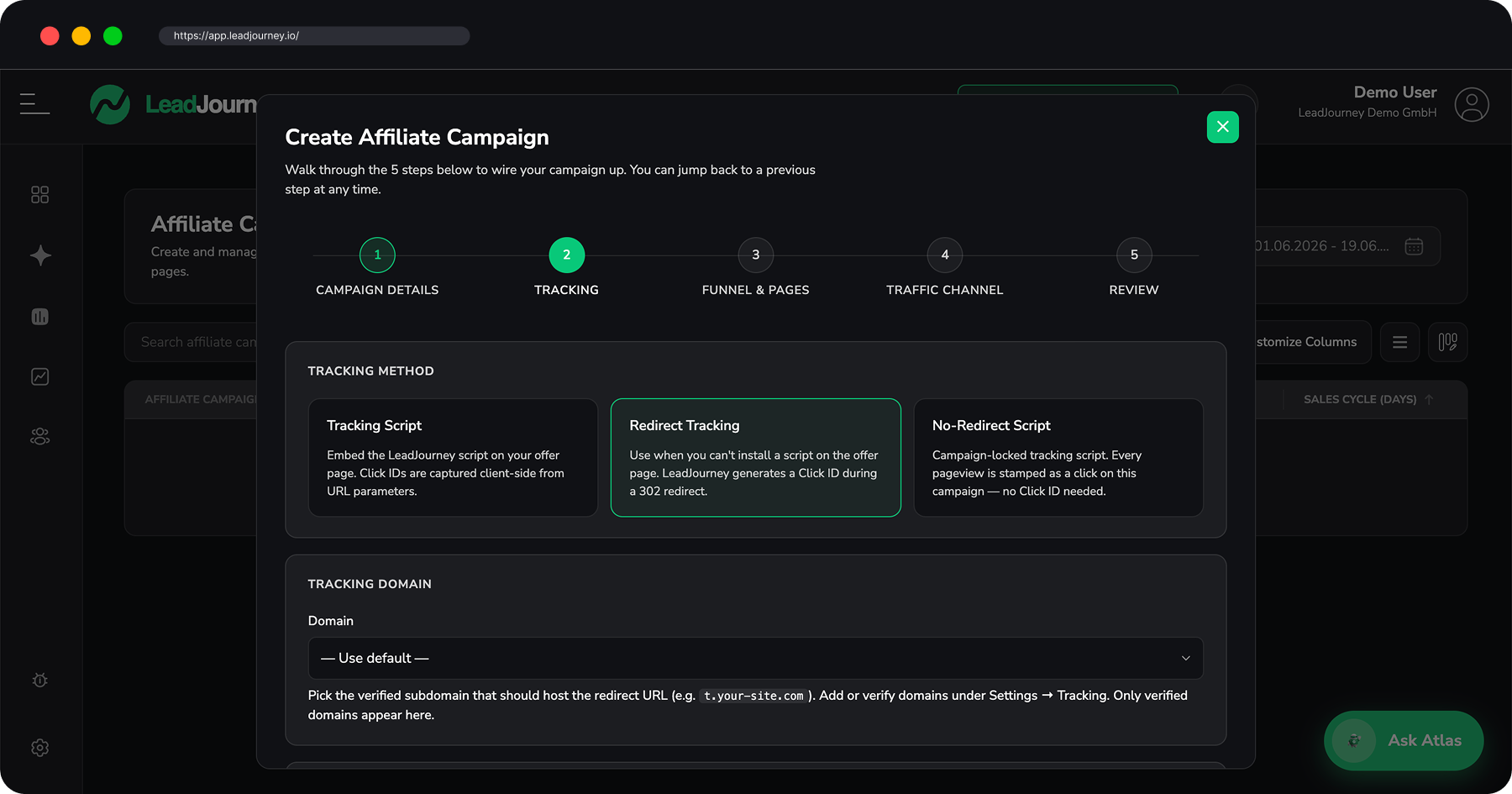
Tracking
Pick a tracking method:
- Tracking Script – embed the LeadJourney script on your offer page; click IDs are captured client-side from URL parameters.
- Redirect Tracking (default) – use when you can't install a script on the offer page; LeadJourney generates the click ID during a 302/303 redirect.
- No-Redirect Script – a campaign-locked script where every pageview is stamped as a click.
Choose a verified tracking domain (or leave it on the default). For Redirect Tracking you can also pick a redirect mode: 303 Redirect (forwards the referrer) or 303 Redirect (Hidden Referrer) (strips the referrer – use when the network blocks ad-platform traffic).
Funnel & Pages
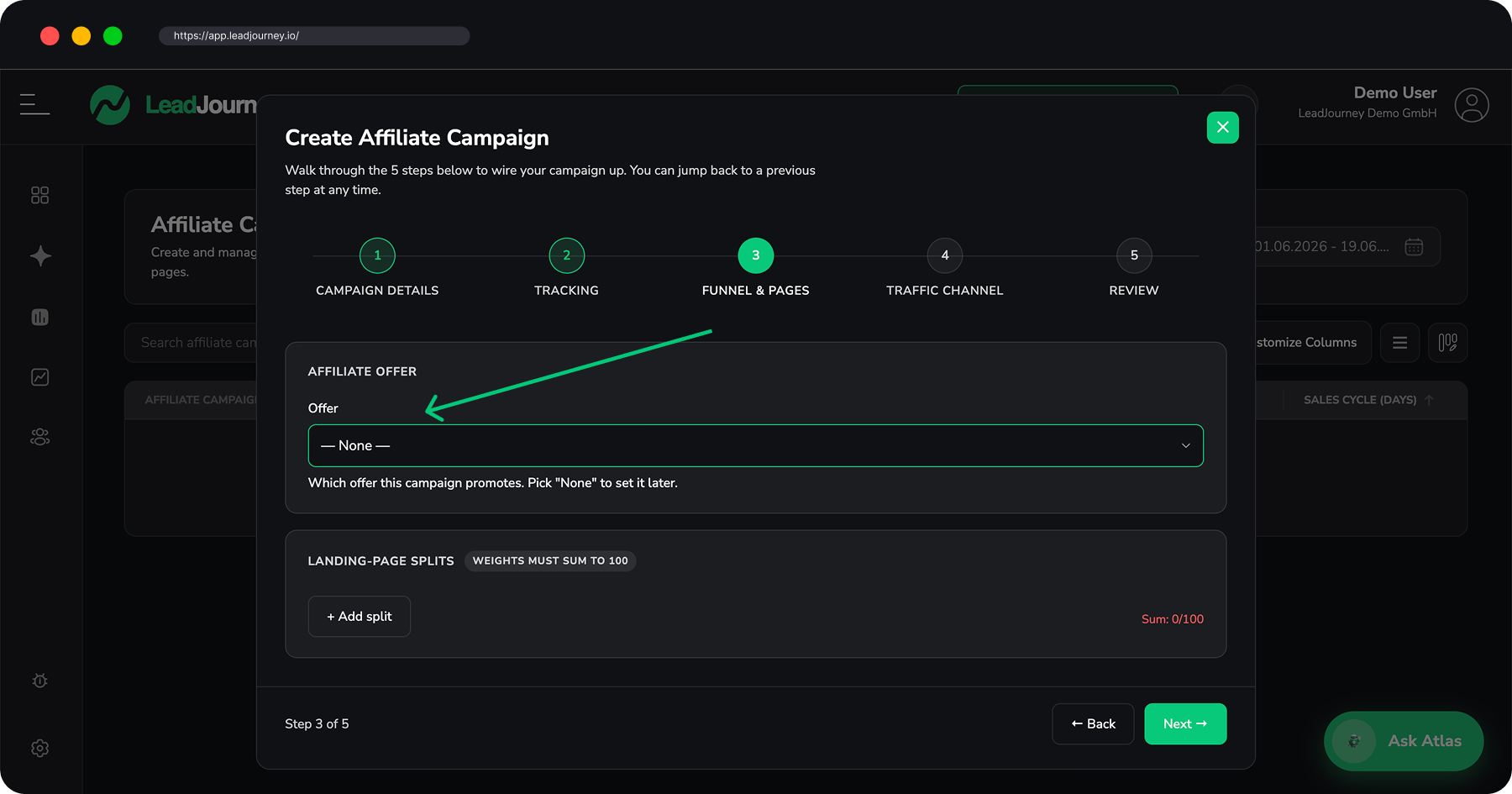
Choose the Affiliate Offer this campaign promotes (or None to set it later). Optionally split traffic across several landing pages by weight – the weights must sum to 100.
Traffic Channel
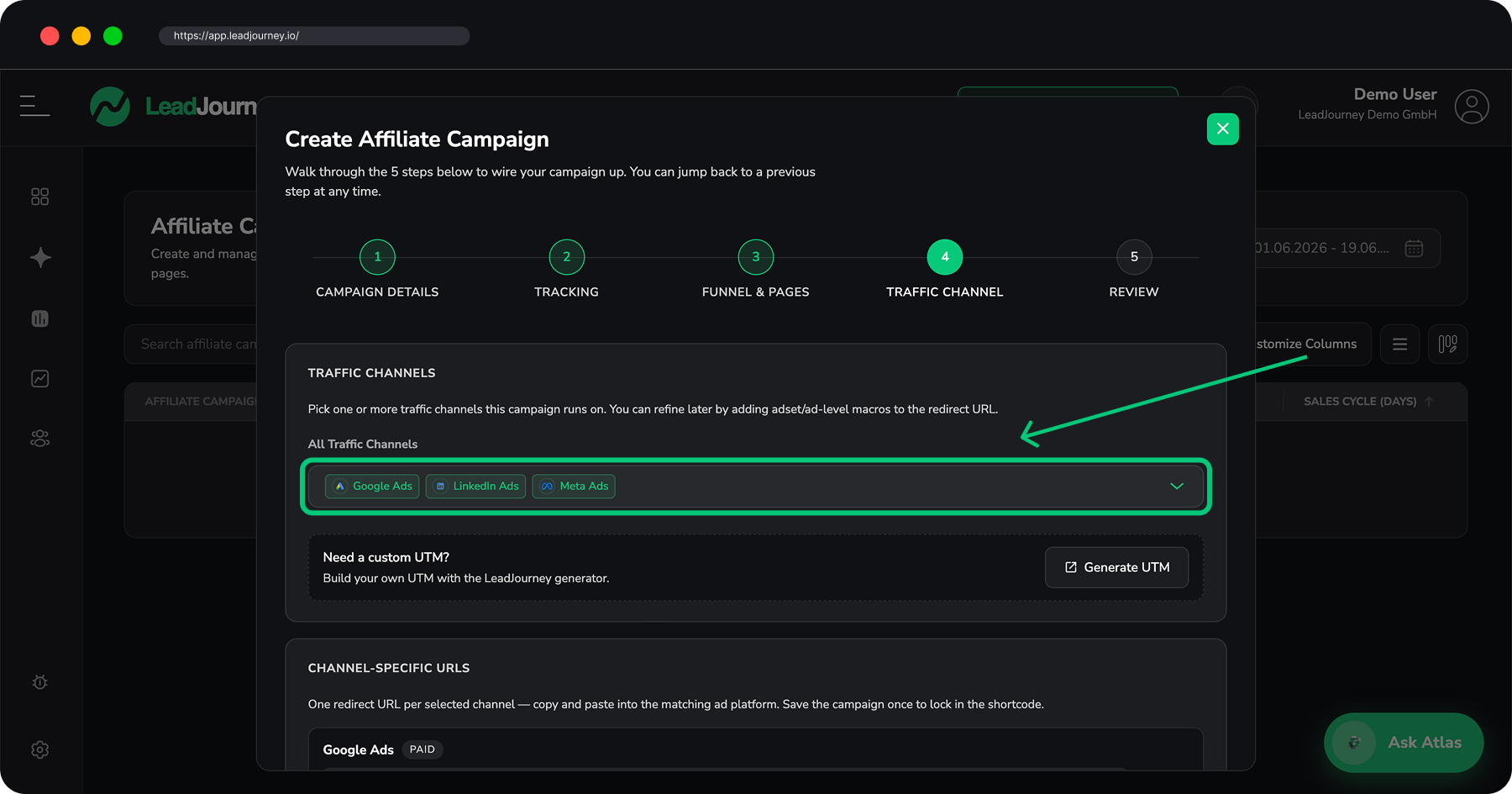
Pick one or more traffic channels you'll run on. LeadJourney generates one ready-to-copy redirect URL per channel, with the right platform macros baked in.
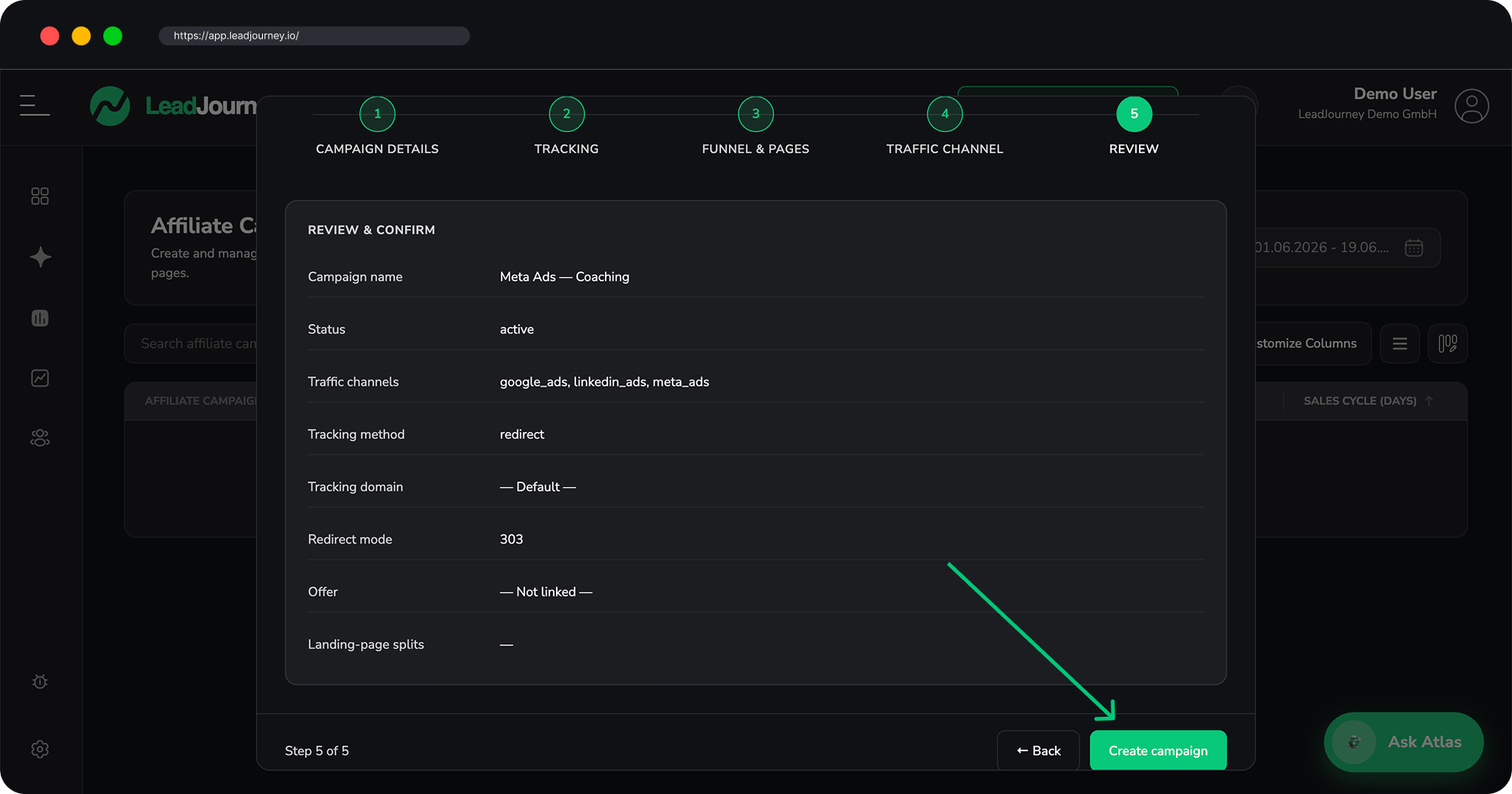
After saving, use Copy Ad URL (or Copy without UTM) on the campaign row to grab the URL for a specific channel, and paste it into the matching ad platform.
Verified tracking domains only
Only verified subdomains appear in the tracking-domain dropdown. Add or verify one under Settings → Tracking – see Set up a custom tracking domain.
Campaigns as a report
The Campaigns tab is also a report: clicks, leads, won clients, revenue and ROAS per campaign, expandable by traffic channel. You can also dig into affiliate performance in the Campaign Report, which has an affiliate-only toggle.
Related articles
Affiliate Offers
Manage the partner offers you promote – paste the affiliate link, set a default commission revenue, connect a network, and control the tracking parameters LeadJourney appends to your link.
Affiliate Landing Pages
Register the pages you send affiliate traffic to – money pages and pre-landers – then connect them to a campaign and split-test variants by weight to find the highest-converting page.