Integrations
Apps
Connect external apps so their events flow into LeadJourney as conversions, auto-attributed to the campaigns that drove them. CRMs like HubSpot, Salesforce and GoHighLevel, payments and shops, forms, booking tools, call tracking, webinars and a BigQuery export.
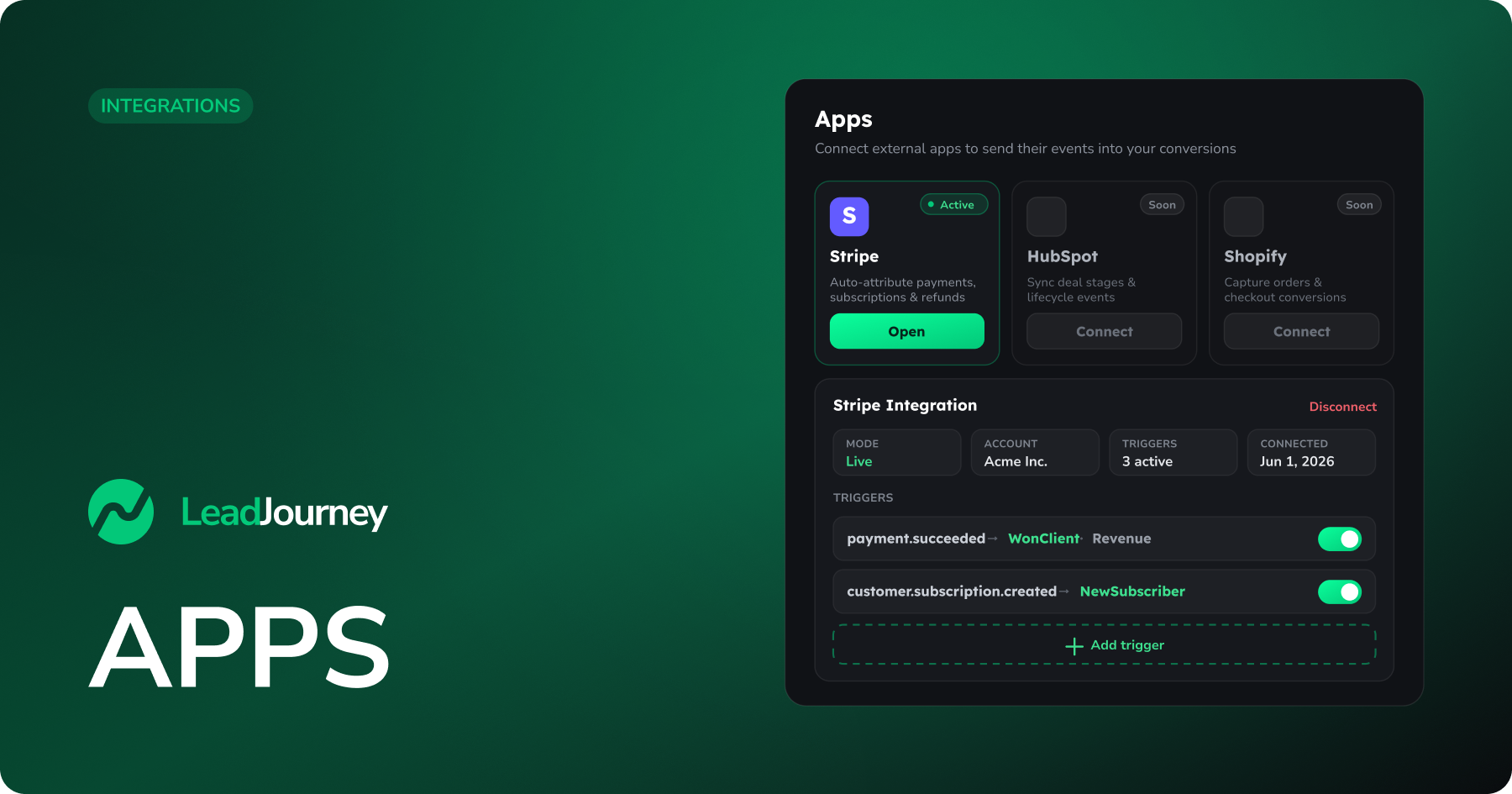
The Apps page is where you connect external tools so their activity flows into LeadJourney as conversions – "Connect external apps to send their events into your conversions." Instead of wiring up a webhook by hand, you authorise the app once and map its events straight onto your conversion types.
Connect an app
Pick the app you want to wire up. Each tile opens its full setup guide. The groups follow the category tabs on the Apps page.
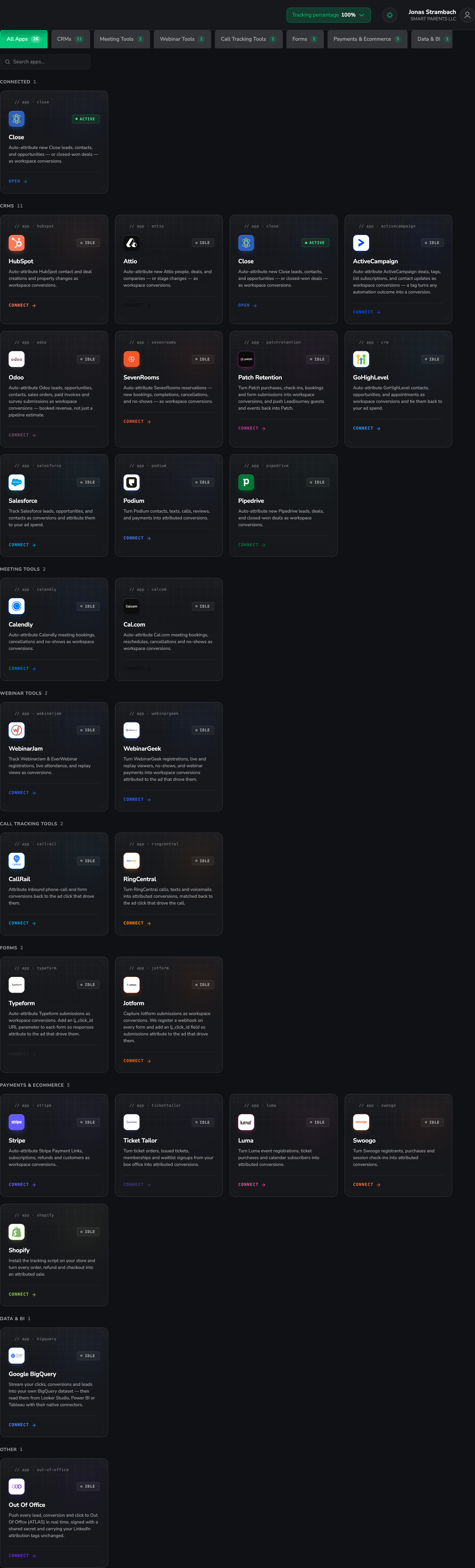
CRMs
 HubSpotAuto-attribute contacts, deals, forms, meetings and stage changes.
 SalesforceAuto-attribute leads, opportunities and contacts.
 Microsoft Dynamics 365Auto-attribute leads, opportunities, cases and closed-won deals.
 PipedriveAuto-attribute new leads, deals and closed-won deals.
 AttioAuto-attribute new people, deals, companies and stage changes.
 CloseAuto-attribute new leads, contacts, opportunities and closed-won deals.
 GoHighLevelAuto-attribute contacts, opportunities, appointments and forms.
 ActiveCampaignAuto-attribute deals, tags, list subscriptions and contact updates.
 OdooAuto-attribute leads, sales orders and paid invoices.
 PodiumAuto-attribute contacts, texts, calls, reviews and payments.
 Patch RetentionAuto-attribute purchases, check-ins, bookings and form submissions.
Payments and ecommerce
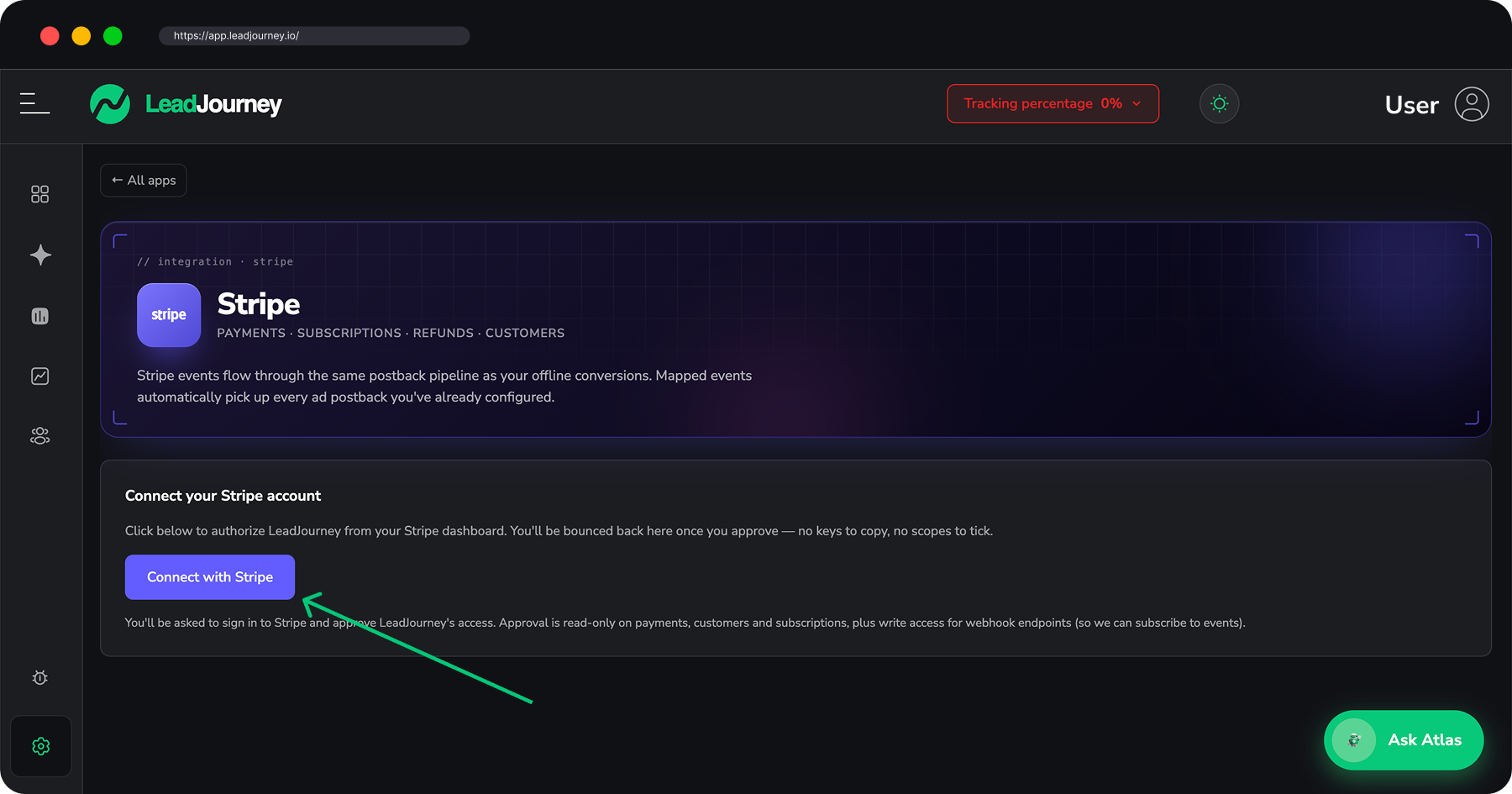
 StripeAuto-attribute payments, subscriptions and refunds as conversions.
 ShopifyAuto-attribute orders, refunds and checkouts from your store.
Forms
 TypeformAuto-attribute Typeform submissions to the ad that drove them.
 JotformCapture Jotform submissions as attributed conversions.
Meeting tools
 CalendlyAuto-attribute meeting bookings, cancellations and no-shows.
 Cal.comAuto-attribute bookings, reschedules, cancellations and no-shows.
Call tracking

Webinar tools
 WebinarJamTrack registrations, live attendance and replay views.
 WebinarGeekTurn registrations, viewers, no-shows and payments into conversions.
Data and BI

More ways to connect
 API access (Zapier & co.)Send conversions from any tool with a personal API token.
 MCP (Claude, Cursor, ChatGPT…)Query your workspaces and reports from AI assistants.
 SlackGet conversion and alert notifications in your channels.
Where to find it
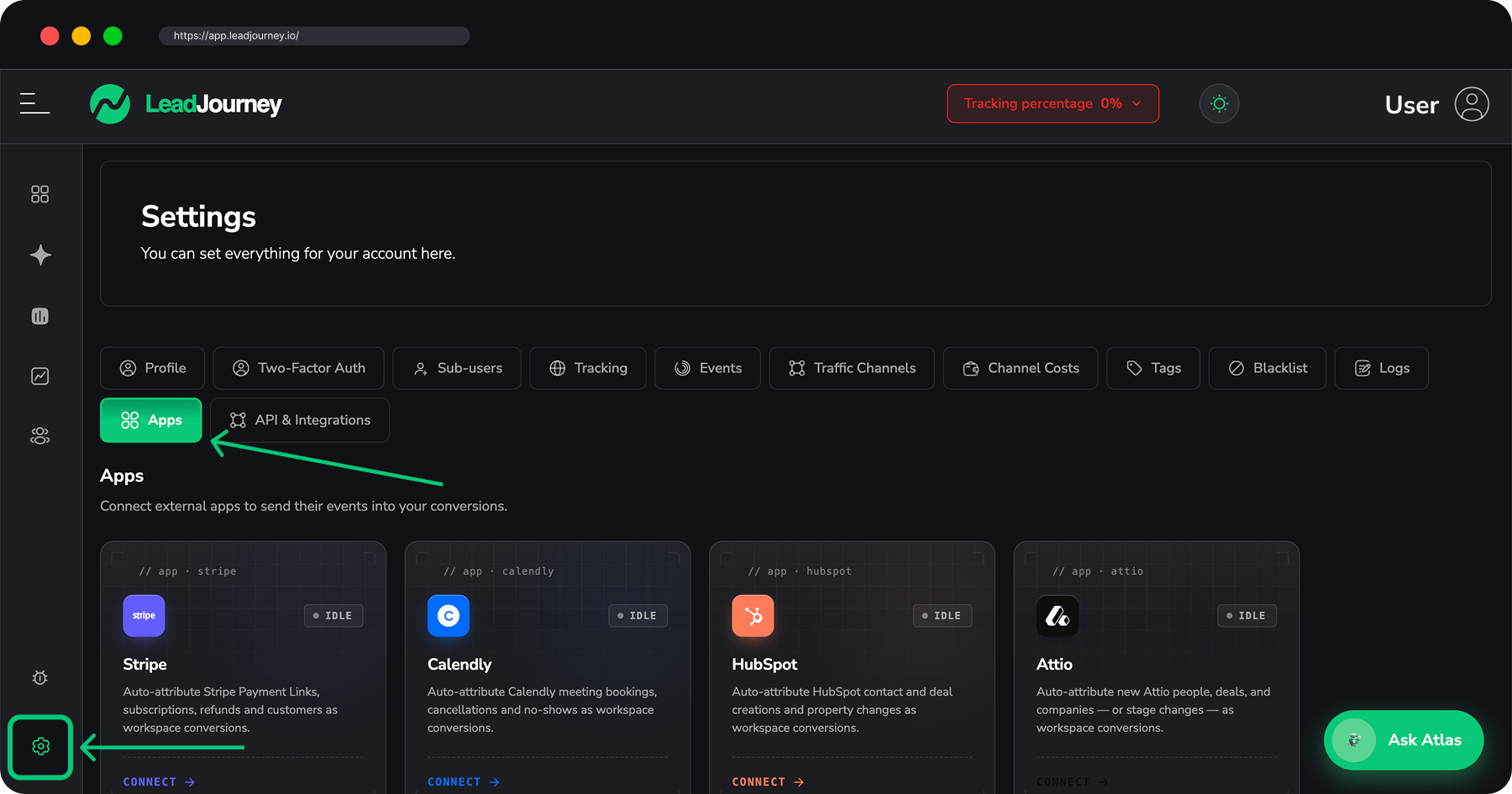
Open Settings → Apps, or go to app.leadjourney.io/settings?slug=apps. Each app shows as a card with a status pill (Soon, Idle or Active) and a button to Connect or Open it.
How apps work
Every app follows the same moves, so once you've connected one the rest feel familiar:
- Connect once: depending on the app you either click Connect with … and approve LeadJourney in the app, or paste an API key from the app's settings. A few apps (for example the webinar tools) also ask you to paste a webhook URL that LeadJourney generates for you. Each setup guide says exactly which method the app uses.
- Map events with triggers – each app has a Triggers panel where "Each trigger maps an app event to one of your conversions." Use Add trigger to point an app event (a payment, a booking, a new deal) at one of your conversion types, map the record onto LeadJourney columns (Email, Phone, click_id, Revenue …) and optionally add filters.
- Watch the connection – the header shows a Live pill (or Needs reconnect), your connected account, how many triggers are active, the date you connected, and a Disconnect button. Mapped events flow through the same postback pipeline as your offline conversions, so they pick up every ad postback you've already configured.
- Send data back (many CRMs): HubSpot, Salesforce, Attio, Close, GoHighLevel, ActiveCampaign, Odoo, Podium and Patch Retention can also write LeadJourney data (for example the source of a lead) back into the app. BigQuery works only in this direction and streams your data into your own dataset. The setup guide of each app shows what it can write.
Triggers map to your conversion types
A trigger connects one app event to a conversion type you defined in the Events Manager (for example map payment succeeded or deal won to WonClient and send the amount as revenue). Set your conversion types up first – see Events & the Events Manager.
Don't see your tool here?
Apps shown with a Soon pill aren't available to connect yet. For any source that isn't an app here, you can still send conversions directly via the Conversion API webhook – see Send webhooks to LeadJourney. Running a Magento store? That guide walks the whole setup.
Related articles
API access & tokens
Create a personal API token to connect external tools like Zapier to LeadJourney. Generate, copy and revoke tokens, and find your API base URL.
Send webhooks to LeadJourney
The complete guide to sending events to LeadJourney by webhook – the endpoint, both ways to authenticate, every field you can send (identifiers, revenue, names, custom fields), how repeated calls are handled, and how to test and debug a webhook that isn't landing.