Integrations
Connect Taboola Ads
Connect Taboola with your Backstage API credentials. LeadJourney syncs spend, campaigns, campaign items and creatives, and sends conversions back server-to-server — keyed on the tblci click ID.
Connecting Taboola Ads pulls your spend and performance into LeadJourney down to the campaign item, and sends your conversions back so Taboola can optimise on real outcomes.
What the connection covers
- Spend and performance for campaigns and campaign items, plus your ad creatives.
- Conversions back to Taboola, server-to-server.
- Optional auto-tagging of each campaign's tracking code.
Before you start
- Backstage API credentials — a Client ID and Client Secret. Taboola issues these through your account manager: in Realize, ask for Backstage API client credentials.
- Tracking is live on your site — see Install the tracking script.
- For conversions to arrive, an event-based conversion in Taboola Realize to map onto (see step 3).
Where to find it
Open Settings → Traffic Channels, find the Taboola Ads card and click Connect.
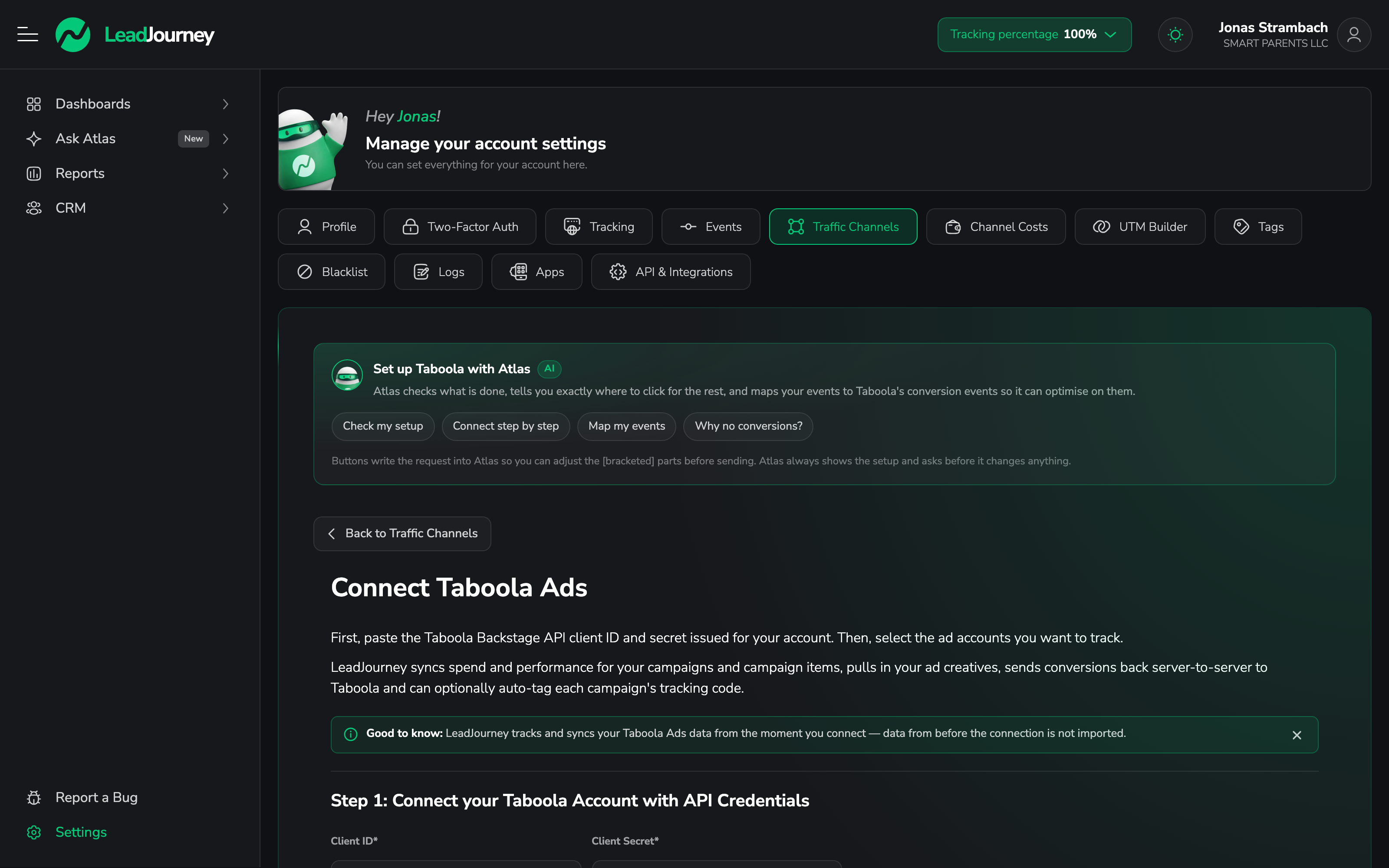
Atlas can walk you through it
The panel at the top of the screen — Set up Taboola with Atlas — checks what's already done, tells you where to click next and can map your events for you. Why no conversions? is the fastest way to diagnose a connection that syncs spend but sends nothing back.
Step by step
Connect with your API credentials
Paste the Client ID and Client Secret under Step 1 and click Connect Taboola Account.
One credential pair reaches every ad account under your Taboola partner account — you don't need separate credentials per account.
Choose your ad accounts
Under Step 2, the ad accounts the credentials can reach appear in a table. Switch on the ones this workspace should track and save. Spend and performance sync from that moment; data from before the connection is not imported.
Map events to Taboola
Under Step 3, decide which Taboola conversion each LeadJourney event is reported as.
The name has to exist in Taboola first
The event name must match an event-based conversion created in Taboola Realize — its Event
Name field. If it doesn't match, Taboola ignores the postback, silently. Conversions you
leave unmapped are sent as <Type> by LeadJourney, which only works if a conversion by that name
exists in Realize.
Step 3b — Send Timing controls when a mapped conversion is sent back.
Add the tracking parameter
Either switch on Auto-tag for the ad account, or paste this into each campaign's Tracking Code in Taboola Realize:
lj_channel=taboola_ads&lj_c_id={campaign_id}&lj_as_id={campaign_id}&lj_ad_id={campaign_item_id}&lj_placement={site}&tblci={click_id}Taboola fills the {campaign_id}, {campaign_item_id}, {site} and {click_id} macros.
No tblci, no conversions
Conversions go back to Taboola keyed on the tblci click ID. Without it — no auto-tagging and
no template on the campaign — spend still syncs, but nothing reaches Taboola. This is the
single most common reason a Taboola connection looks fine and optimises on nothing.
Why campaign and ad set show the same ID
Taboola has no ad-set level between campaign and creative, so lj_c_id and lj_as_id both carry
the campaign ID, and lj_ad_id carries the campaign item. Your reports group correctly; the ad
set level is simply a copy of the campaign.
Troubleshooting
Spend syncs but no conversions arrive in Taboola
Check in this order: the campaign carries the tracking parameter (or auto-tag is on), the clicks
actually carry a tblci, and the mapped event name matches a conversion that exists in Realize.
The API Postbacks log shows each attempt and its status.
“Connect Taboola Account” rejects the credentials
Backstage credentials come from your Taboola account manager, not from a self-service screen. Confirm you were issued Backstage API client credentials and that you're pasting the Client ID and Secret in the right fields.
An ad account is missing from the list
Use Resync Accounts. If it still doesn't appear, the credentials belong to a different partner account than the one holding that ad account.
Related articles
Connect ChatGPT Ads
Connect ChatGPT Ads with an API key per ad account. LeadJourney syncs campaigns, ad groups, ads and spend, and sends conversions back to OpenAI – including the two keys that look alike but aren't interchangeable.
Connect Outbrain Ads
Connect Outbrain with an Amplify API token. LeadJourney syncs spend, campaigns, promoted links and creatives, and sends conversions back server-to-server — including the 30-day token expiry that stops a sync without warning.